Introduction
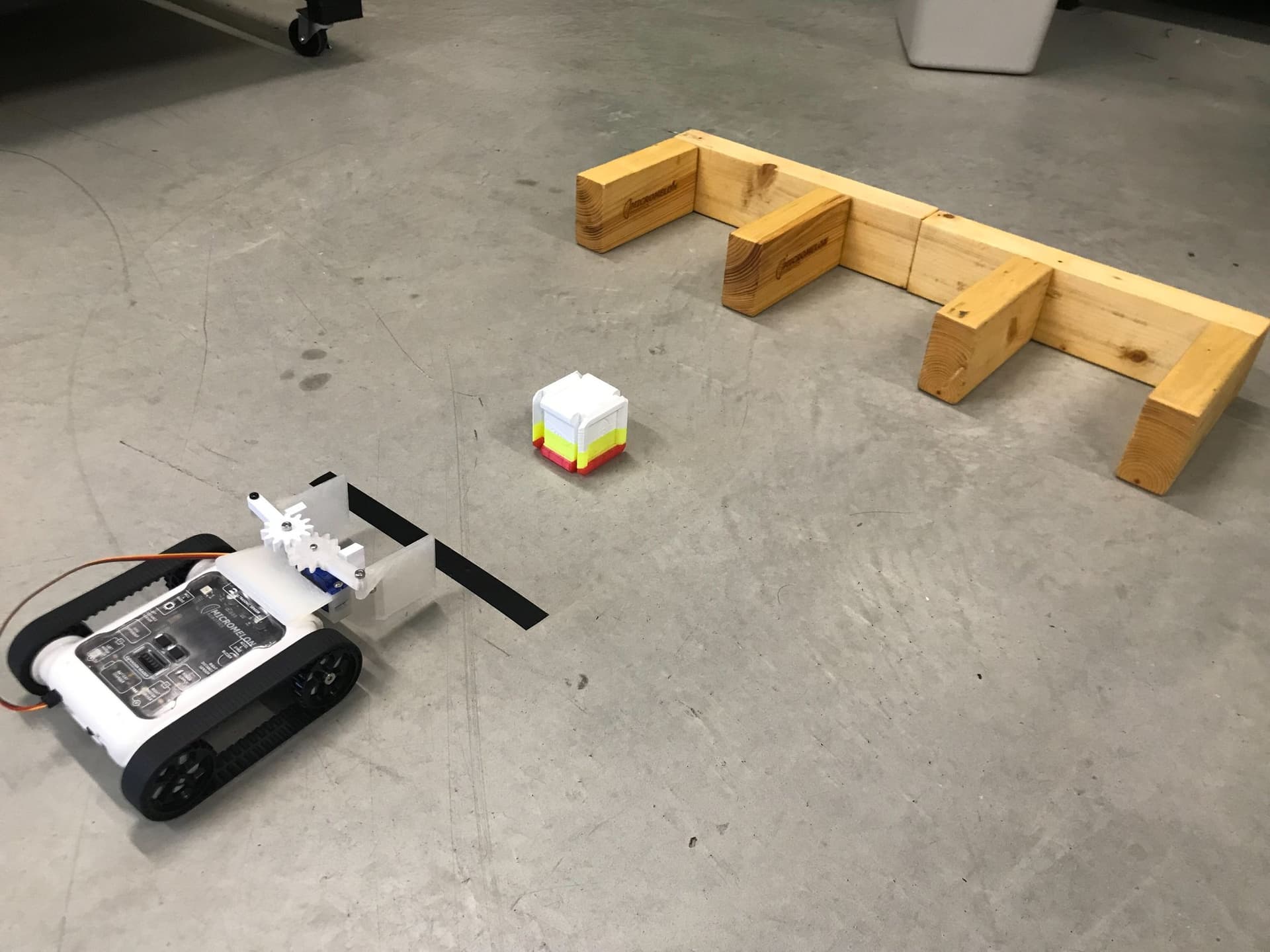
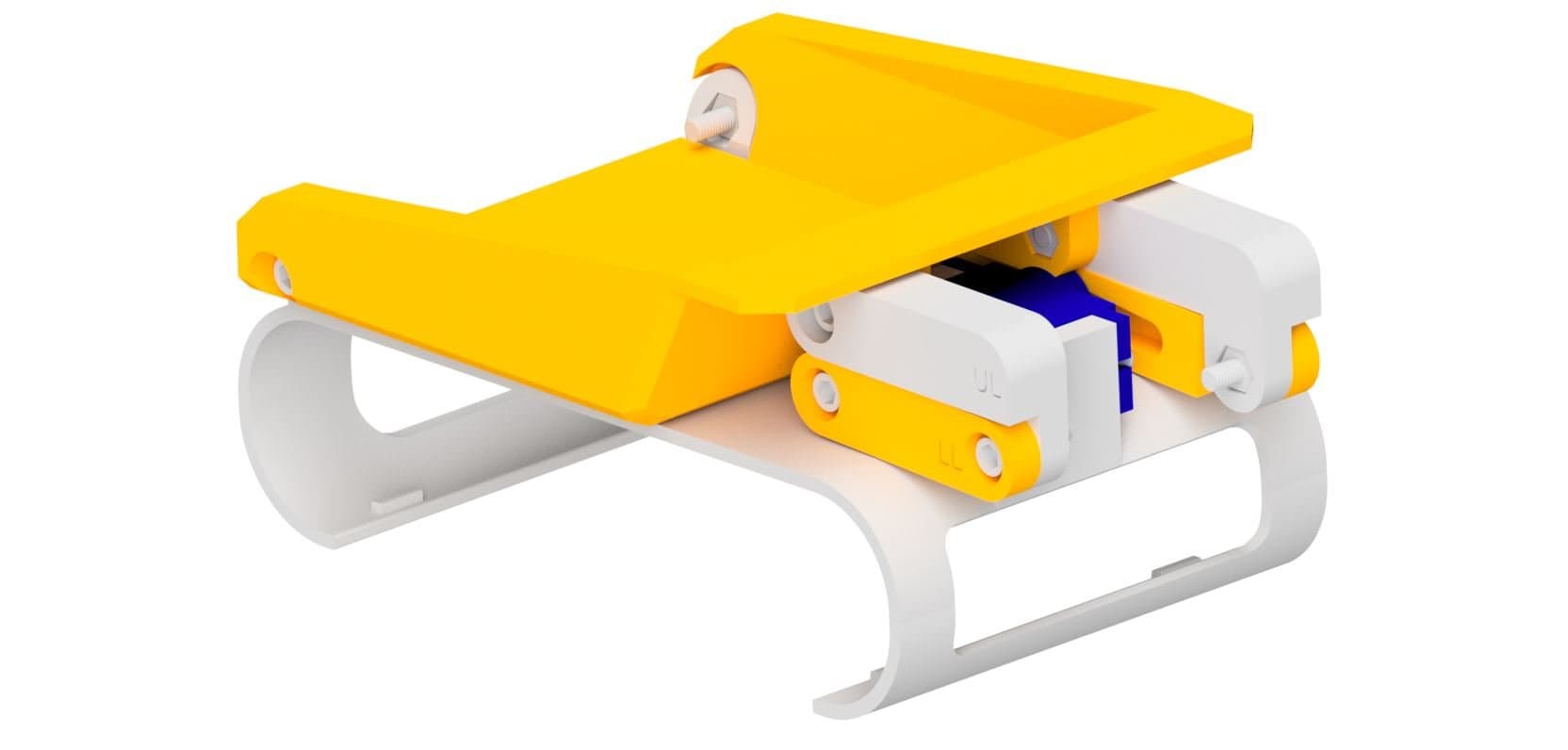
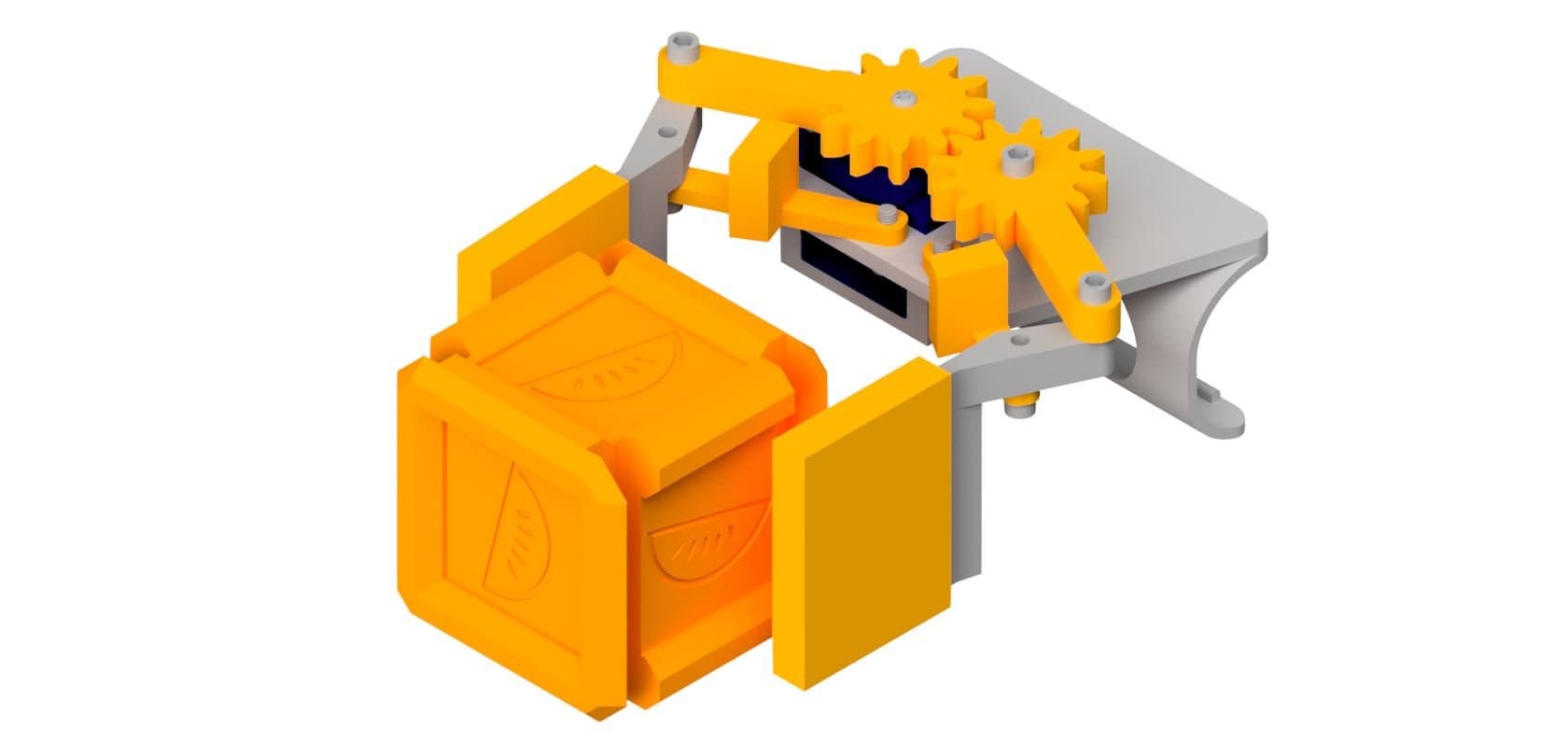
The claw attachment lets your Rover pick up and grab objects using a gear-driven gripper mechanism. It clips onto the front of the Rover and is powered by a micro servo motor. The servo turns one gear, which turns a second gear the opposite way, so both claws swing in and out together.
Before you start:
- Use a standard positional servo (a 9g micro servo that turns to an angle), not a continuous rotation one.
- Calibrate the servo before you fit the horn. The horn sets where the claws sit at 0, so you'll need the Rover and the Code Editor handy for step 3.
- The servo goes on the right. Looking from behind the Rover, the servo pocket is on the right of the shell and the round boss for the free gear is on the left.
Drag to rotate, scroll to zoom
Interactive 3D BuildOverview
The Finished Claw
The claw clips onto the front of the Rover. One servo turns two meshing gears, so both claws swing in together. Drag to look around, scroll to zoom, then step through the build.
AccessoryMelonCubeA small cube for the claw to pick up. Print one to use with the claw activity.



What You'll Need
Parts:
- 3x M3 x 10mm Screws (two for the supports, one for the free gear)
- 4x M3 x 12mm Screws (for the claws)
- 1x M2.5 x 8mm Screw (for the servo gear)
- 2x Servo Mounting Screws (from the servo's accessory bag)
- 1x Single-sided Servo Horn (from the servo's accessory bag)
- 1x Micro Servo
Tools:
- 2mm Allen Key
- 2.5mm Allen Key
- Phillips Head Screwdriver
 Makerworld
13D Print Your Parts
- 1x Robot Shell
- 1x Support Left
- 1x Support Right
- 1x Claw Left
- 1x Claw Right
- 1x Servo Gear
- 1x Free Gear
- 2x TPU Socks (one left, one right, printed in TPU)

2Install the Servo
- Hold the shell with the plate on top and the curved clip at the back, underneath.
- Lower the micro servo into the rectangular pocket on the right of the plate, from the top. The tabs rest on the plate and the body hangs down into the box underneath.
- Turn it so the output shaft is at the end nearest the round boss in the middle of the plate.
- Screw in the two servo mounting screws through the tabs.
3Calibrate the Servo
- Plug the servo into the right servo port on the Rover.
- Run
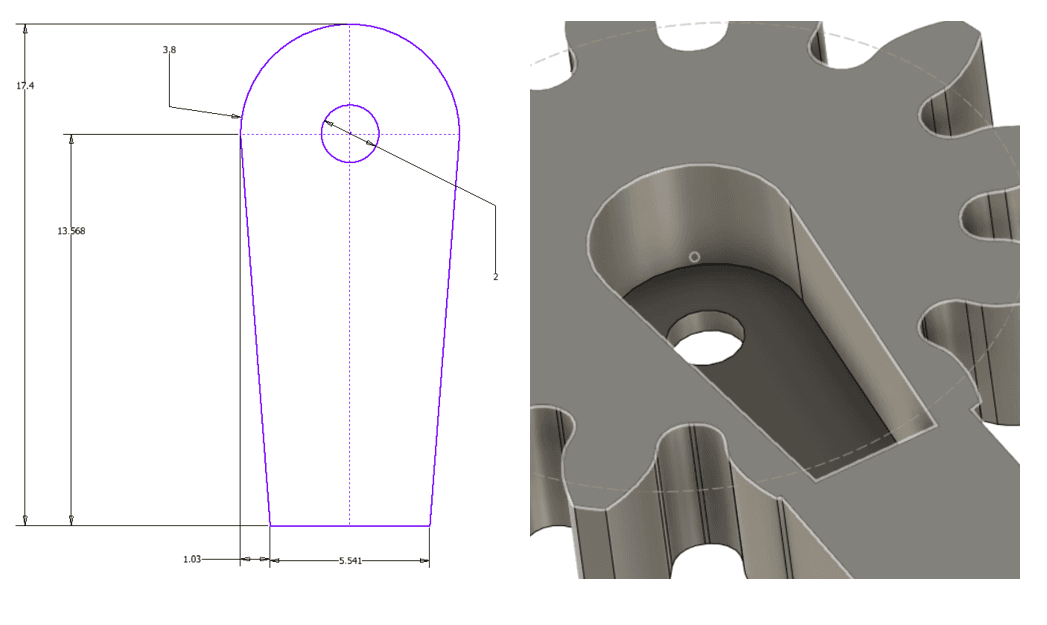
Servos.right(0)in the Code Editor to set the servo to 0 degrees. - Without rotating the servo, push the single-sided servo horn onto the shaft so its arm points out to the right, away from the boss, as shown in the image. Don't screw it on: the servo gear holds it in place.
- At 0 the claws will be open, with the gear arms pointing out to the sides.

4Attach the Supports
- Sit the two supports on top of the plate at the front, in front of the boss and the servo shaft. Each one points out to its own side, with its raised block on top.
- Match the directions correctly: Support Right goes on the servo side.
- Use 2x M3 x 10mm screws to screw in the supports from under the robot shell, through the countersunk holes in the plate.
- Don't fully tighten the screws: the supports need to be able to swing.

5Install the Gears
- Press the servo gear down over the horn, so the horn drops into the pocket on the underside of the gear. Screw it onto the servo using the M2.5 screw.
- Put the free gear over the boss and screw it onto the robot shell using an M3 x 10mm screw.
- Make sure the gears are interlocking as shown in the diagram, with both arms pointing out to the sides as mirror images of each other. If one arm sits further forward than the other, lift the free gear off and turn it by one tooth.
- Check the fit: the free gear should turn freely on the boss.

6Attach the Claws
- Each claw has a flat bar on top and a paddle hanging down at the front. Claw Left goes on the left and Claw Right on the right.
- Slide each claw bar into the gap between its support (underneath) and the end of its gear arm (on top).
- Use the 4x M3 x 12mm screws to connect the claws to the attachment as shown in the diagram: one down through the end of each gear arm into the claw, and one down through each claw into the end of its support.
- Check the fit: turn the servo gear gently by hand. Both claws should swing in and out together, staying parallel.

7Add the TPU Socks
- Push the TPU socks up onto the claw paddles, so the paddle goes into the slot in the top of each sock.
- One side of each sock is thicker than the other. Put the thicker side facing the other claw: that's the side that grips.
Fit and Test It
- Clip the shell onto the front of the Rover.
- Plug the servo into the right servo port on the back of the Rover. Match the brown wire to the - on the port icon.
- In the Code Editor, set the right servo to 0 to open the claws, then 30 to close them. 30 is about right to grip a MelonCube.
It's a positional servo, so the value sets the angle the claws sit at. Positive values close the claws and 0 is open. Every printer and servo is a little different, so try a few values to find what grips your object firmly without the servo straining. The claw activity below walks through an example.
Troubleshooting
- The claws don't open and close evenly: the gears aren't meshed in the right place. Lift the free gear off, turn it by one tooth so the two arms are mirror images, and screw it back on.
- The claws are stiff or won't move: loosen the support screws a little, and check the free gear turns freely on the boss.
- The claws aren't open at 0: the horn went on at the wrong angle. Run
Servos.right(0)again, take off the servo gear and horn, and refit the horn with its arm pointing out to the right. - The servo buzzes when open or closed: it's pushing against the end of the claws' travel. Use a value a little closer to the middle.
- The cube slips out: check the thicker side of each sock faces inwards, or close the claw a little further.