Introduction
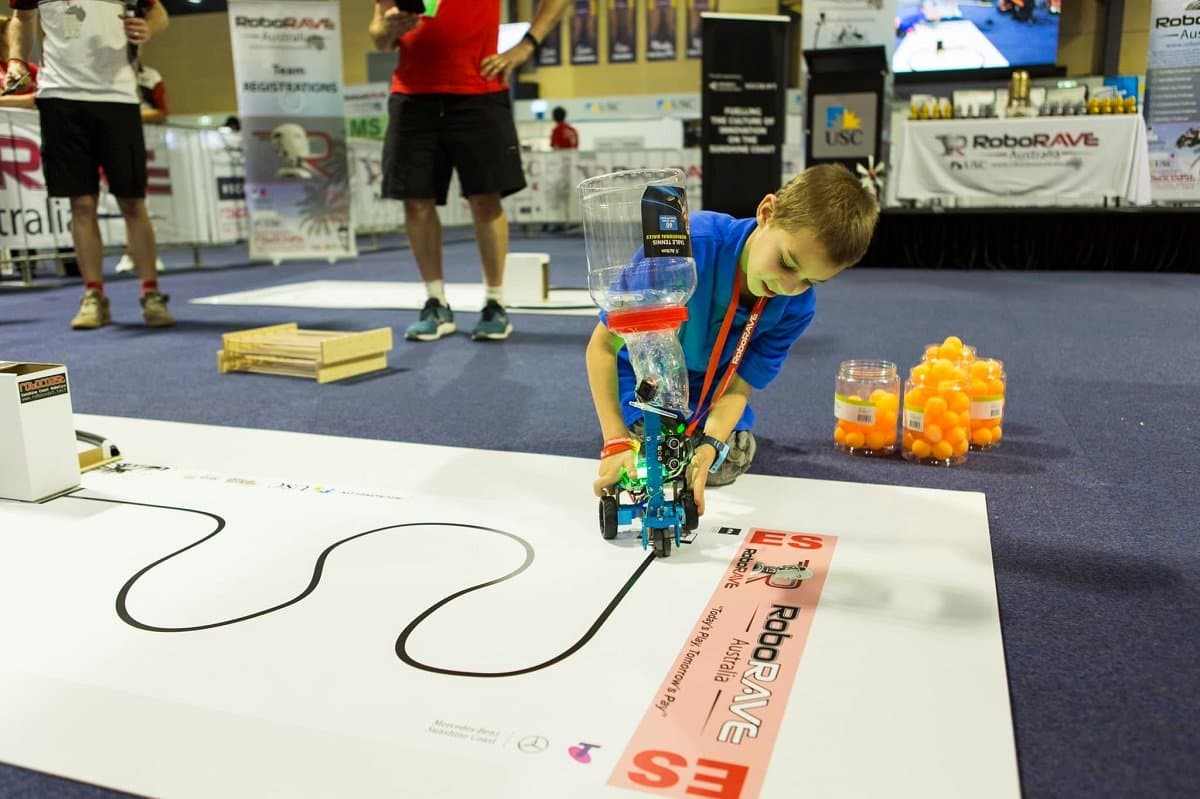
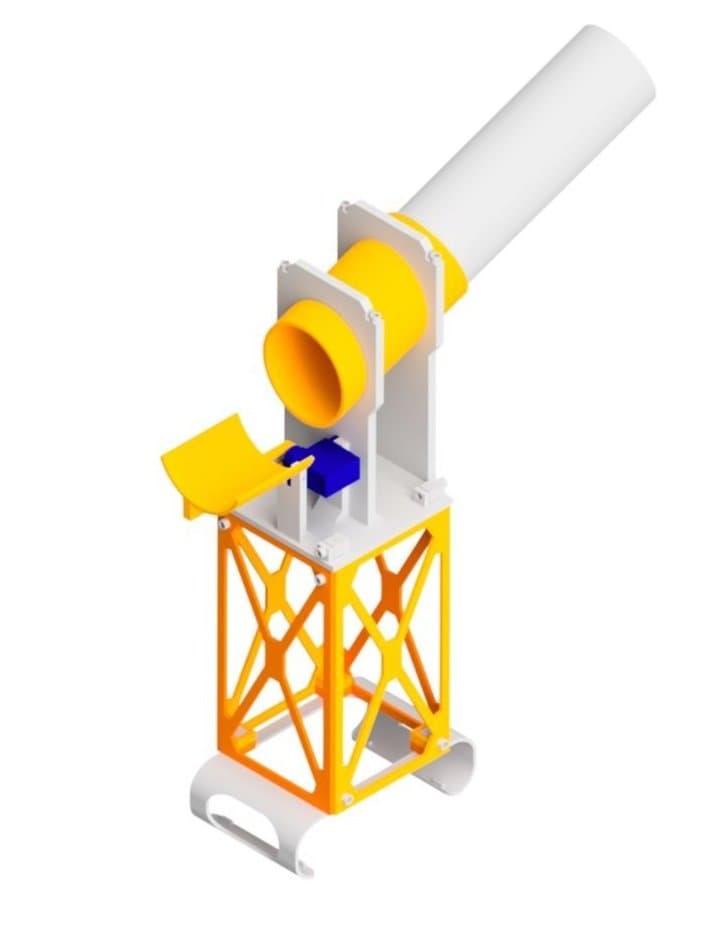
The RoboRAVE Line Follow attachment is built for the RoboRAVE Line Follow (SPRINT) challenge, where the Rover follows a line to a tower and delivers ping-pong balls into it. A tower on top of the Rover holds a sloping barrel that stores the balls. At the front, a micro servo tilts a slide under the barrel's mouth to release them. The whole tower stands on a printed robot shell that takes the place of the Rover's own shell.
Before you start:
- Use a positional (180°) micro servo. You set it to an angle and fit the horn at 0, so a continuous rotation servo won't work here.
- The four side panels are identical. What matters is which way up each one goes. Each panel has a square socket in every corner. At one end the sockets have screw holes; at the other end they don't. Check this before each panel goes on.
- Know which end is the front. The front is the Rover's ultrasonic end. On the robot shell it's the end with the big window. The servo, the slide and the barrel's slanted mouth all go at the front.

Parts:
- 1x Micro Servo (positional, 180°)
- 1x Single-arm servo horn (from the servo's accessory bag)
- 1x Servo horn screw (from the servo's accessory bag)
- 2x Servo mounting screws (from the servo's accessory bag)
- 8x M3 x 10mm Screws
- 4x M3 x 12mm Screws
- 4x M3 x 35mm Screws
Tools:
- Phillips Head Screwdriver
- M3 Allen Key
- Side Cutters
 Thingiverse
 Printables
 Makerworld
- 1x Robot Shell
- 4x Side Panel
- 4x Connector
- 1x Top Plate
- 1x Barrel
- 2x Barrel Clip
- 1x Extension
- 1x Servo Slide

- Find the four square posts on top of the robot shell, one near each corner.
- Take two side panels and turn them so the sockets without holes are at the bottom.
- Slide one down over the front pair of posts and one down over the back pair, with the sockets facing in. Each panel's bottom edge should sit flat on the shell.

- Turn the other two panels so the sockets with holes are at the bottom.
- Slide them down the left and right sides, over the same posts. Their bottom sockets stack on top of the first two panels' sockets.
- Check the fit: the four panels now make a square tower, and the holes in the bottom sockets line up with the holes through the shell's posts.
- Insert a 10mm screw through each of the four holes, from the outside, into the posts.

- Push a connector down into the socket at each top corner of the tower, so half of it sticks up above the panels.
- The front and back panels have holes in their top sockets. Line the connectors' holes up with them.
- Screw the front and back panels to the connectors with four 10mm screws, from the outside.

- Turn the top plate so the two short servo posts are at the front, above the shell's big window (the ultrasonic end). The tall wall goes at the back.
- Lower it onto the tower so the four connectors come up through the square holes in its corners.
- Screw it to the connectors with the four 12mm screws, through the holes in the small blocks beside each corner.

- Lower the micro servo from above in between the two short posts at the front of the top plate. The shaft faces out to the side, away from the posts, and the servo's tabs rest against the posts.
- The shaft should end up at the front end of the servo, away from the barrel walls.
- Fix the servo to the posts with the two servo mounting screws, through the holes in its tabs.
- Don't fit the horn yet. You'll calibrate the servo first.

- Before the horn goes on, set the servo to its 0 position, so the slide ends up level and has room to move both ways.
- Plug the servo into the right servo port on the Rover.
- In the Code Editor, set the right servo to 0 and run it.
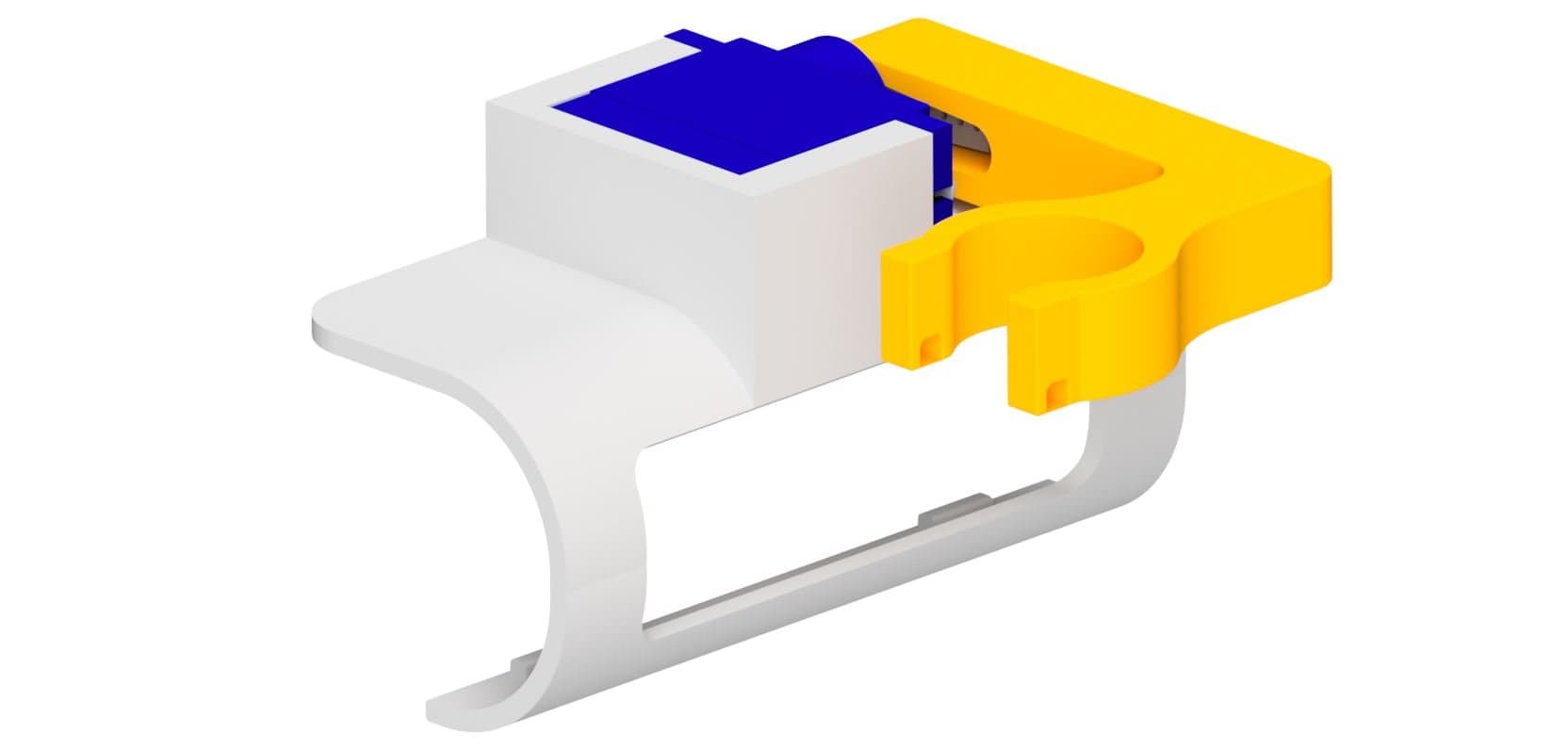
- Trim the horn with side cutters at the outermost hole that fits the slide's pocket, about 13 mm from the centre.
- With the servo still at 0, press the horn onto the shaft so it points straight forward, level with the top plate, as in the picture.

- Lay the barrel in the curved tops of the two walls on the top plate. The barrel has two grooves; each one sits in a wall.
- Put the slanted end at the front. When it's the right way round, the front of the barrel is upright, parallel to the front wall.
- Place a barrel clip over the barrel on top of each wall. The clips aren't symmetrical: the cut-out is slanted to follow the barrel. If a clip won't sit flat on its wall, turn it around.
- Screw each clip down with two 35mm screws, through the clip and into the wall.

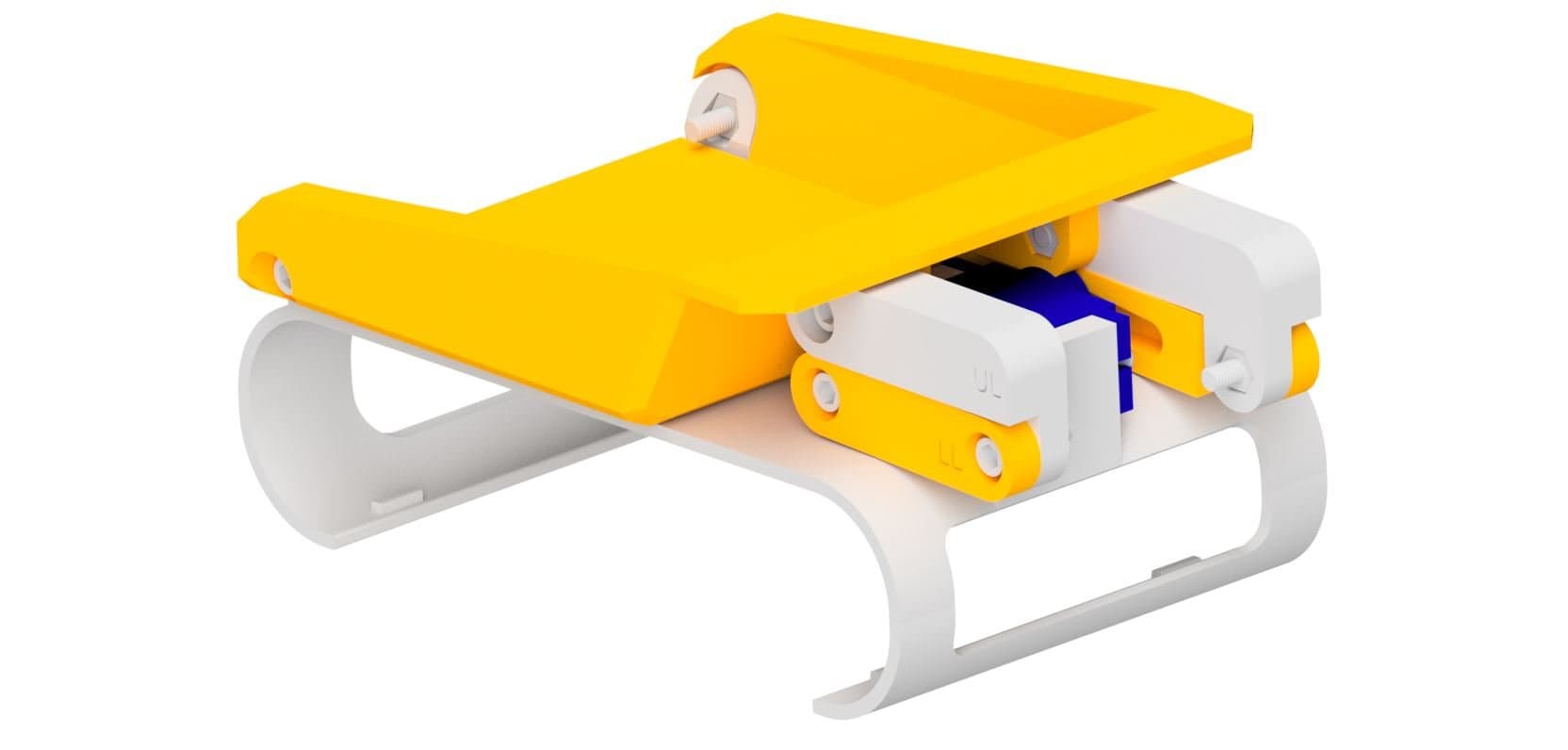
- Hold the slide with the trough pointing forward, open side up, so it sits in front of and below the barrel's mouth.
- Fit the pocket on the inside of the slide's bar over the servo horn.
- Fix it to the servo with the servo horn screw, through the hole in the bar and into the shaft.

- The extension has a raised ring near one end. Push that end into the back of the barrel until the ring meets the barrel.
- Turn the extension up to a quarter turn to tighten it.
Fit and Test It
- Take the Rover's own shell off and fit the robot shell, with the tower on it, in its place. The big window goes over the ultrasonic sensor at the front.
- Plug the servo into the right servo port on the back of the Rover, if it isn't already. Match the brown wire to the - on the port icon.
- In the Code Editor, set the right servo to 0. The slide should sit level. Then try 45 and -45 to see it tilt each way, and finish back at 0.
It's a positional servo, so the value sets an angle. Keep it between about -55 and 55. Much past that, the slide runs into the barrel when it tilts up, or the top plate when it tilts down.
To load the attachment, drop ping-pong balls into the open end of the extension. They roll down the barrel towards the slide at the front.
Troubleshooting
- The slide isn't level at 0: the horn went on at the wrong angle. Take the slide and horn off, set the servo to 0 again, and refit the horn pointing straight forward.
- The slide hits the barrel or the top plate: keep the servo value between about -55 and 55, and check the horn was fitted at 0.
- The servo doesn't move: check it's in the right servo port, with the brown wire on the - side.
- The side panels won't line up: check which way up each one is. The front and back panels have their plain sockets at the bottom; the left and right panels have their holed sockets at the bottom.
- The barrel rocks or the clips won't sit flat: make sure the barrel's grooves sit in the walls, the slanted end is at the front, and each clip is the right way round.
- The extension falls out: push it in up to the ring and give it a quarter turn.